Let’s look at a different List Screen, the records of Vehicles in your club. As you can see, it’s quite similar to the Member List.
List of Vehicles
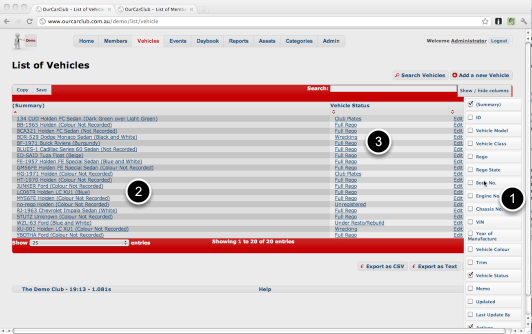
As mentioned previously, all List screens share common features: click or drag the headers to sort or re-arrange, filter and export your data.
1. The Show/Hide columns button has been clicked, showing the additional columns available for inclusion in this view. Click any of the check-boxes to show/hide that column, and click the Show/Hide columns button again to dismiss.
2. Click on the "Summary" of any vehicle to go to its "View" screen.
3. All Vehicles have a Status. Click on a Status to show information about that Status, and a list of all Vehicles that match that status. This item to group to item navigation is a key feature of the OurCarClub system. It is extremely easy to navigate around your data.
List Vehicles (continued)
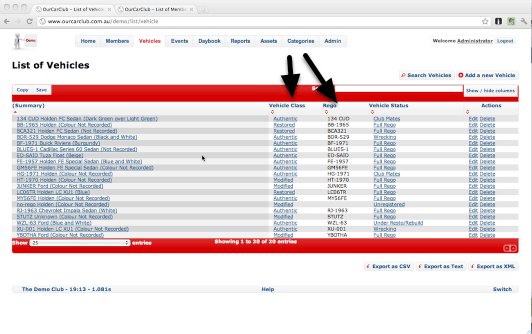
Here is that same screen with the Vehicle Class and Rego columns added to the view.
 OurCarClub